How to Hide Followers on SoundCloud: What You Can Hide, and What Stays Public
The Honest Version
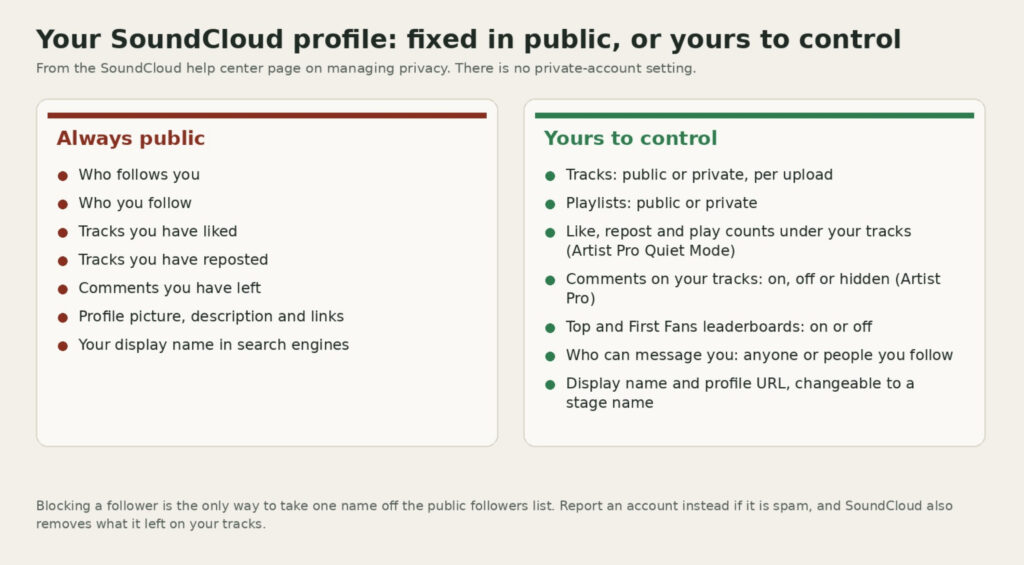
You cannot hide your followers on SoundCloud. The platform’s privacy documentation lists who follows you, who you follow, your likes, your reposts and your comments as information that is always public on every profile, and there is no private-account mode to switch on. Any guide that walks you through a settings menu to hide the list is describing a button that does not exist.
What you can do is narrower but still useful. You can block or report individual followers so they disappear from the list, make every track and playlist private so followers see a profile with nothing to play, hide play and like counts on your tracks if you pay for Artist Pro, opt out of the public Top Fans leaderboards, restrict who can message you, and rename the profile so it stops surfacing under your real name. This guide covers each of those in the order most people need them.
Genera conversación en torno a tus canciones.
Comentarios reales de oyentes auténticos. Fomenta la participación con cada lanzamiento.
What SoundCloud Keeps Public, No Matter What
SoundCloud’s help page on managing privacy is unusually direct. It says it is not possible to make your account entirely private, then lists what any visitor to your profile can see: your profile artwork, description and website links, your likes, your reposts, the comments you have made, who you follow and who follows you. The followers tab is on that list by design, because SoundCloud treats follows as public social signals in the same way it treats reposts.
The same page confirms there is no setting to hide a profile from search engines. If you do not want your SoundCloud page to appear when someone searches your name, the help center’s own workaround is to change your display name and profile URL to a stage name, which is covered below. Your email address, password, download counts and detailed Insights are private, and so is anything you upload as a private track.
What You Can Actually Hide
Four things on a SoundCloud profile are genuinely yours to control, and together they do most of what people hoping to hide followers were after.
Tracks and playlists can be set to private at upload or at any time afterwards. Open the track, click the pencil icon under the waveform, change the privacy setting to Private and save. Private tracks do not appear on your public profile, cannot be found in SoundCloud search and can only be played by people you give the secret link to. A profile where every upload is private shows followers a name, a picture and nothing to listen to, which for many people is the privacy they actually wanted.
Track statistics can be hidden if you have an Artist Pro plan. SoundCloud calls it Quiet Mode, and it is managed per track under Advanced settings on the track’s edit page. It lets you turn off comments, hide the comments that already exist and hide the like, repost and play counts under the waveform. It does not touch your followers tab or your own likes list.
Fan leaderboards can be switched off by anyone. SoundCloud’s Top and First Fans module publicly shows who played a track most and who heard it first. In the Privacy tab of your Settings page you can disable “Show First and Top Fans for my tracks” so your tracks carry no leaderboard, and separately disable “Show when I’m a First or Top Fan” so your own name never appears on other artists’ lists.
Messages can be limited to people you follow, also under Privacy settings. That does not change your follower count, but it closes the main channel that unwanted followers use to reach you.
Removing Specific Followers
There is no remove-follower button, but blocking does the same job. Open the follower’s profile, click the three dots next to the Follow button and choose Block. SoundCloud’s privacy guidance says a blocked user can no longer follow you, message you or comment on your tracks, so they drop out of your followers list and stay out unless you unblock them. Blocking also removes them from the Fans leaderboards on every one of your tracks.
If the follower is a spam or fake account, use Report instead, from their profile page, your notifications or a message. SoundCloud’s help center says reporting an account also blocks it from interacting with you and removes the comments, likes and reposts it previously left on your content, and that accounts confirmed as spam are removed from the platform entirely. Report is therefore the better option for bot followers, because it cleans up what they left behind as well as the follow itself.
For an account that is not spam but that you would rather not see celebrated on your track pages, there is a middle option. Hover over the name in a Top or First Fans list and press the X to remove it from that list only. SoundCloud warns that this cannot be undone, and it does not remove the person from your followers.
Boost engagement on your tracks.
Real SoundCloud likes that signal value to listeners and lift your tracks in discovery.
Making the Profile Harder to Find
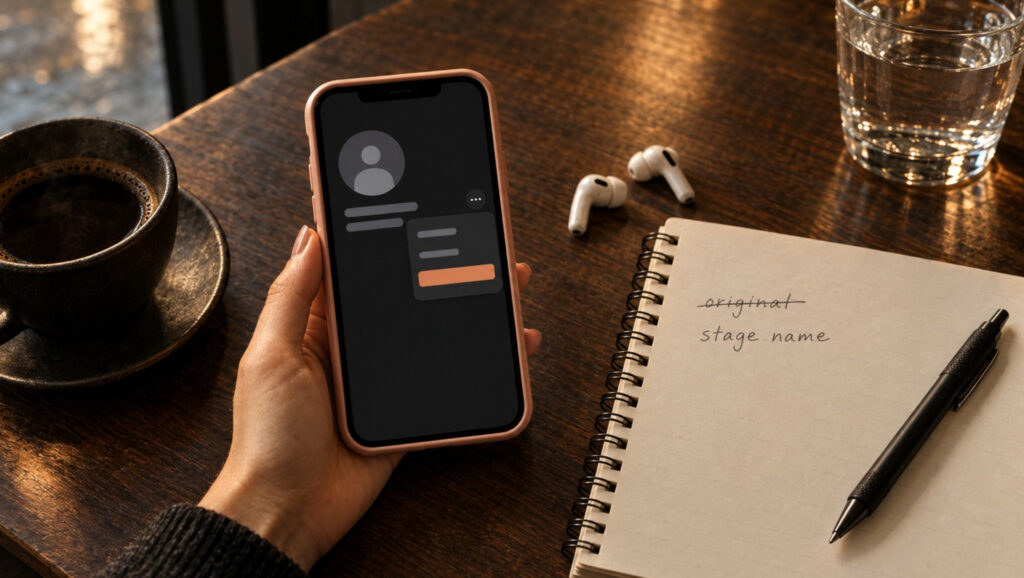
If the real concern is being found rather than being followed, the help center’s advice is to change your display name and profile URL to a stage name. Both are edited from your profile page, and the URL change takes effect immediately, although links to the old address will stop working. Keep the description free of your real name, city and workplace, and swap any profile links that point to pages carrying your identity.
SoundCloud itself cannot remove your profile from Google results, and it says so. Once the name and URL have changed, the old search result will fall away as Google recrawls the page, and the new one will show the stage name. Our walkthrough of how to see your followers on SoundCloud is useful here too, because the same list that visitors see is where you find the accounts worth blocking before you rename.
Living With a Public Follower Count
Most people who search for a way to hide followers are not hiding a crowd. They are hiding a number they think is too small, or a list that contains a few accounts they would rather nobody saw. The list problem is solved by blocking. The number problem is solved only by changing the number, because SoundCloud will keep displaying it.
That is less daunting than it sounds. Followers on SoundCloud grow from reposts, comments that say something specific, collaborations and playlist placements, and our guide on how to get more SoundCloud followers sets out what works in 2026 and what SoundCloud penalises. Some artists also add paid growth while a release is fresh; BuzzVoice supplies Seguidores de SoundCloud delivered gradually from real accounts for profiles that want a steadier starting point. Whichever route you take, a public follower count that is climbing reads far better than a hidden one ever could.
Preguntas frecuentes
Can I hide my likes on SoundCloud?
No. Your likes list is on SoundCloud’s always-public list alongside followers, reposts and comments. Artist Pro users can hide the like count under their own tracks with Quiet Mode, but that is a different thing from hiding which tracks you have liked.
Can I remove a follower without blocking them?
No. Blocking is the only action that takes someone off your followers list. Removing someone from a Top or First Fans list only affects that list, and making your tracks private hides your music from followers without removing them.
Does SoundCloud notify someone when I block them?
SoundCloud does not announce blocks, but the person will notice if they try to follow, message or comment, because those actions stop working. If you would rather avoid that, making your tracks private removes what they can hear without changing who can follow you.
Can my followers see my private tracks?
Not unless you send them the secret link. Private tracks are hidden from your profile and from search for everyone, followers included. Our article on whether SoundCloud counts your own plays explains why plays on a private track still appear in your Insights when a collaborator uses that link.

BuzzVoice
BuzzVoice es el mejor lugar al que acudir cuando necesite servicios de interacción instantánea en las redes sociales. Ofrecemos una amplia variedad de paquetes para Instagram, Youtube, Facebook, Twitter, Soundcloud y Tiktok.