How To See The Exact Number Of Followers On Instagram?

Ever looked at your Instagram profile and wondered, “Wait, what is my Instagram follower count?” If your follower count just says “12.3k,” you’re not alone.
Instagram rounds numbers on public profiles once you pass 10,000 followers, which can be frustrating if you’re trying to track your exact growth or pitch to brands.
Whether you’re a content creator, business owner, or simply curious about your audience, knowing the total followers on Instagram is crucial for making informed content decisions and measuring real progress.
In this article, we’ll show you where to find your precise count, why it matters more than you think, and which tools can help you keep track of your growth like a pro.
Want to grow quickly on Instagram? BuzzVoice offers effective growth services as Instagram followers, Instagram likes and Instagram views to boost your visibility and build a strong digital brand.
Why Your Exact Follower Count Matters
Understanding your exact follower count on Instagram is crucial for anyone looking to grow their presence or leverage their audience for influencer marketing. The exact follower count gives you a clear picture of your reach and helps you track your growth over time.
For content creators and businesses, knowing the precise number of followers is essential for measuring engagement, identifying trends, and making data-driven decisions to improve your content strategy. Brands often look at the exact follower count when evaluating potential partners for influencer marketing campaigns, making this metric essential for those seeking collaborations.
By regularly monitoring your follower count, you can measure the effectiveness of your Instagram campaigns, respond quickly to changes in audience engagement, and ensure your content resonates with your followers. In short, your exact follower count is a vital metric for tracking growth, understanding your audience, and achieving success on Instagram.
How To See Your Exact Follower Count (Mobile & Desktop)
On Mobile (iOS & Android):
- Open the Instagram app.
- Go to your profile page.
- Tap the “Professional Dashboard” at the top (if you have a Creator or Business account).
- Tap “See All Insights”.
- Under “New Followers”, you’ll see your exact number.
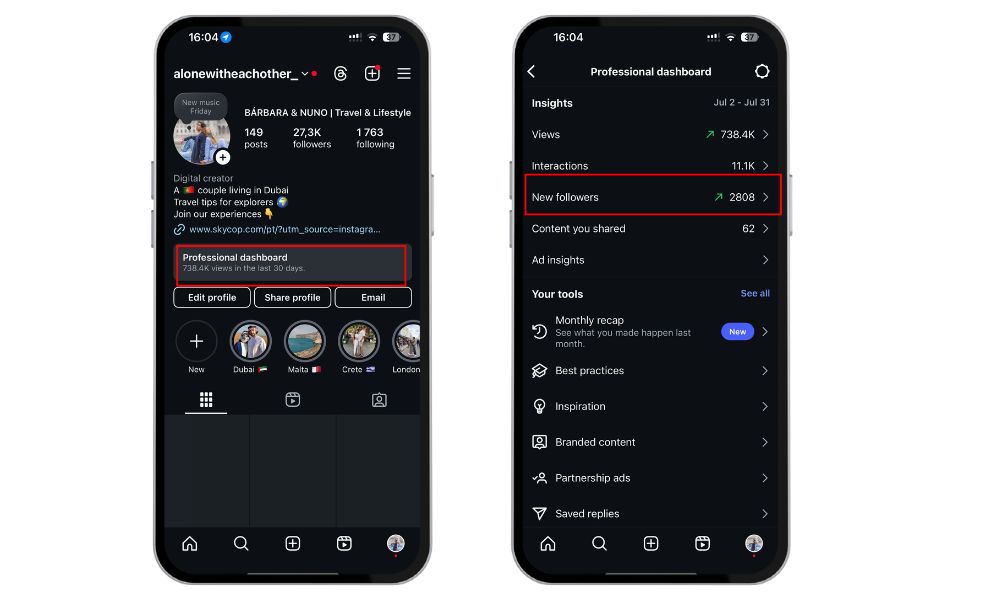
Tip: If you don’t see these options, switch to a Creator or Business account under Settings → Account → Switch account type.
On Desktop:
- Go to Instagram.com and log in.
- Click your profile icon (top right).
- You’ll see your approximate follower count, but for exact data, you’ll need to use Meta’s Creator Studio.
How To Use Creator Studio To Track Follower Growth
If you’re serious about understanding your audience, Meta’s Creator Studio offers more detailed insights:
- Visit creatorstudio.meta.com and connect your Instagram personal account.
- Go to the Insights tab.
- Click “Audience” or “Followers”.
- You’ll see:
- Exact current follower count
- Daily follower growth/loss
- Demographics and activity times
This tool is free and extremely helpful for planning your content based on when your followers are most active.
In case you want to grow your account with followers, likes, and comments and pay a good price for amazing results, take a look at BuzzVoice services.
Related Article: How many Instagram followers do you need to get paid?
Tools to Track Live Follower Count
Instagram offers a variety of tools and features to help you analyze your follower growth and engagement. Instagram Insights is a built-in analytics tool available for business and creator accounts, providing detailed metrics on follower growth, engagement rates, and content performance.
If you want real-time updates or historical tracking, consider tools like:
- Social Blade – Estimates public stats and growth
- HypeAuditor – Used for influencer auditing
- Metricool or Later – For scheduled content + insights
These platforms give you more visual data to monitor spikes, drops, and campaign performance — especially helpful for agencies or marketers.
- Go to the Socialblade website for Instagram metrics (https://socialblade.com/instagram/)
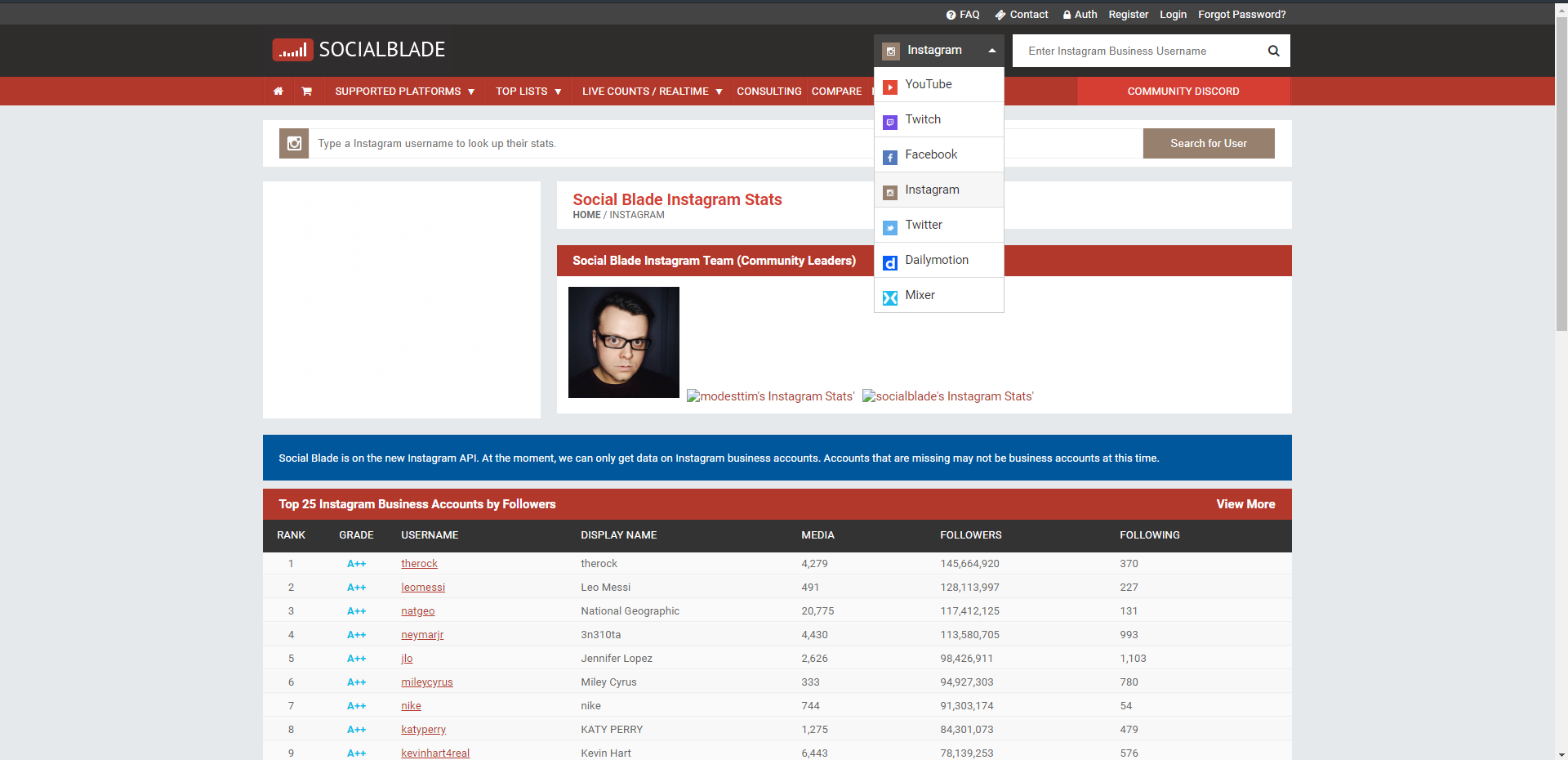
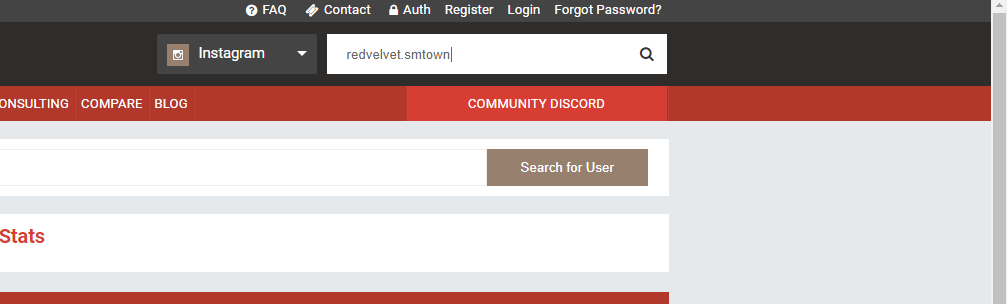
- On the search bar located on the upper right, input the Instagram username of the profile you want to have the exact follower count checked then search
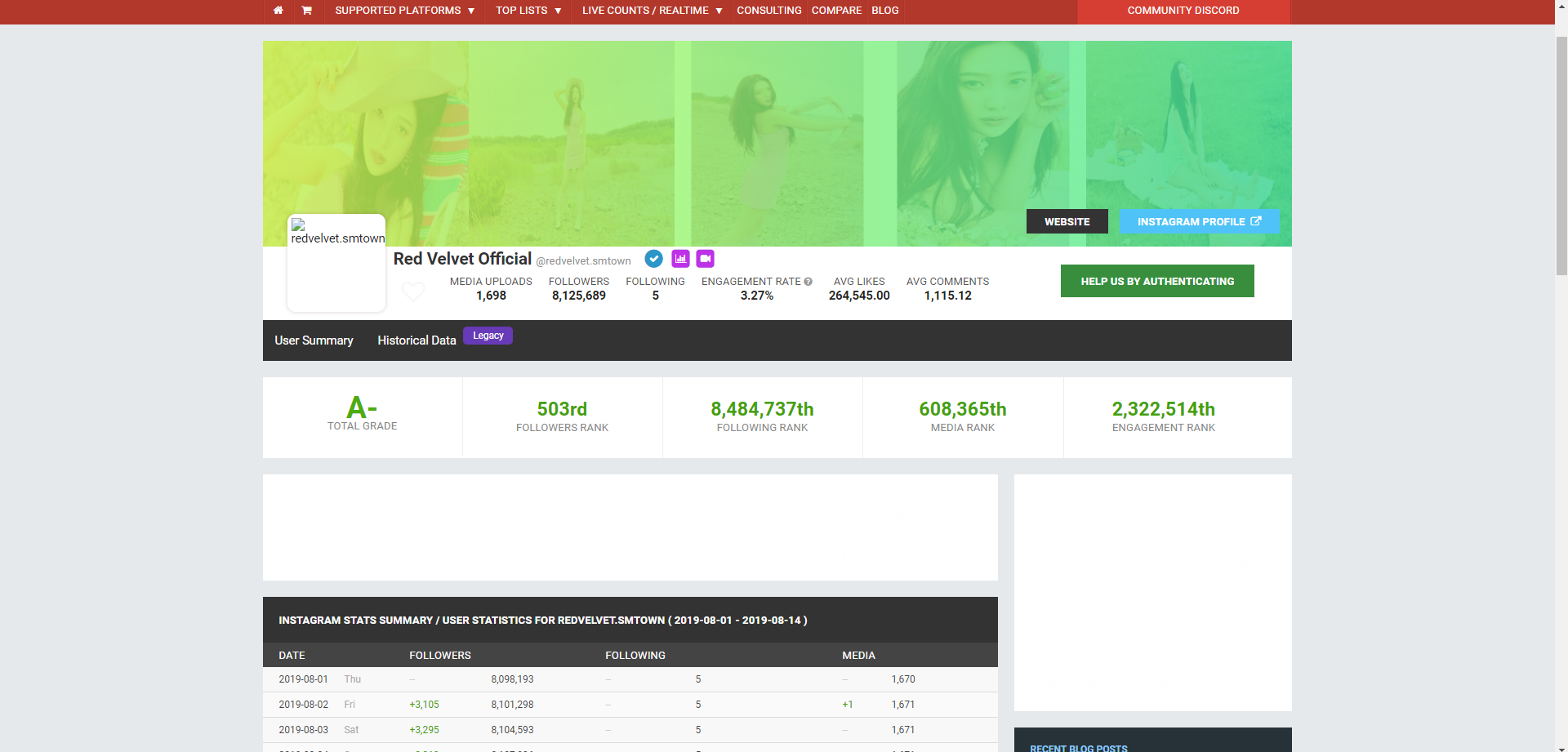
- A rough summary of the profile would be shown, along with a brief run through of important metrics. Along with the number of followers, a cumulative ranking is also shown along with a day to day update on the increase or decrease of followers and people followed.
Related: What is Branded Content on Instagram?
How to grow your Instagram followers
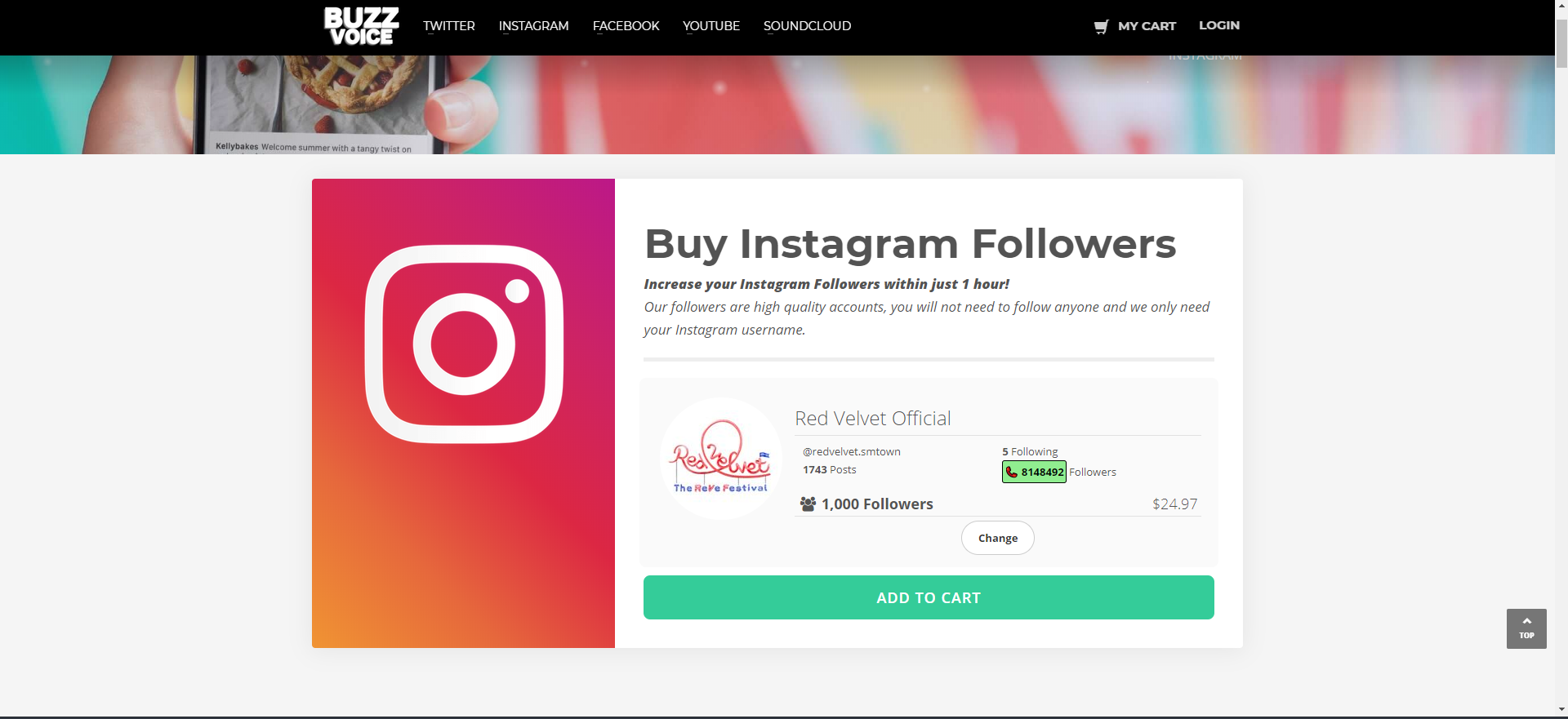
A great and easy way to grow the number of followers you have is through BuzzVoice. At BuzzVoice we can help you gain followers or engagement in exchange for a small amount of cash. On top of that, you can also check your exact followers count for free! Below are the steps to check the precise follower count of a specific Instagram profile.
- Go to the BuzzVoice’s page for increasing Instagram followers (https://buzzvoice.com/instagram/followers/order)
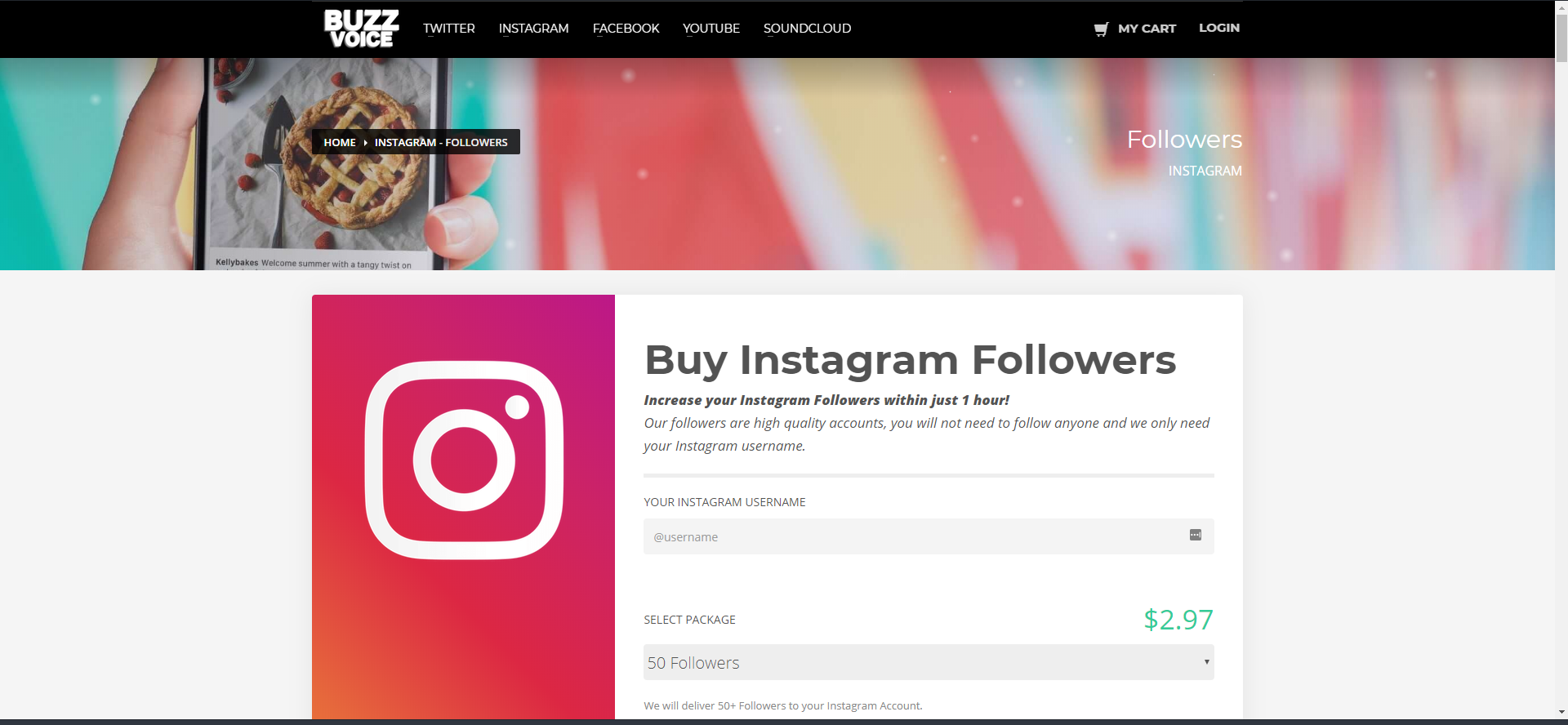
- Put in the username you want to increase the followers, pick the package you want for the account, then hit “Next.”
- You will then be directed to a checkout page for your pre-selected package. In here, you can also see certain metrics of your profile, such as the number of posts you have, the number of people you follow, and the exact number of followers you currently have
Conclusion
Your exact follower count on Instagram is more than just a number it’s a reflection of your growth, influence, and engagement strategy. Whether you’re a content creator, business owner, or aspiring influencer, keeping track of this metric helps you stay informed, adapt faster, and stand out in a competitive digital landscape.
Make it a habit to check in weekly, understand what’s driving gains or losses, and let that data shape your future content decisions.
If you want to accelerate this process and get expert support, BuzzVoice is here to help. Whether your goal is to buy Instagram Likes, increase Twitter likes, or grow your TikTok Followers, we provide effective services designed to boost your online presence and take your brand to the next level.
FAQ
Why doesn’t Instagram show my exact follower count?
Instagram rounds follower numbers for public profiles once you reach 10,000 followers. Instead of showing “10,356,” for example, it will display “10.3k.” This design choice helps reduce clutter and focuses on general influence rather than exact figures, but for creators and brands, the specific number still matters behind the scenes.
How can I see my exact number of followers on Instagram?
The easiest way is by going to your profile while logged into your account. You’ll see the exact number just beneath your username, even if it’s rounded for public view. For deeper analytics, switching to a creator or professional account gives you access to Instagram Insights and more detailed follower data.
Can I track how my follower count changes over time?
Yes! If you have a professional or creator account, Instagram Insights offers basic trends over time. For more in-depth tracking, third-party tools like HypeAuditor, Social Blade, or Later can give you daily follower changes, growth rates, and even alerts for spikes or drops.

BuzzVoice
BuzzVoice is the best place to go when you need instant engagement services on social media. Offering a wide variety of packages for Instagram, Youtube, Facebook, Twitter, Soundcloud & Tiktok.